Windows
 Apple Silicon


Table of Contents
During those long nights of editing, have you also endured this agony: scouring over a dozen asset sites for the perfect Transition effect, painstakingly aligning Captions frame by frame until your eyes glaze over, re-recording a voiceover repeatedly yet never quite satisfied… If you yearn too much to break free from this inefficient cycle, then this “Pr Plugin Share” brings you the ultimate solution – PrAide. This comprehensive plugin, deeply integrated within Premiere Pro, aims to liberate you from tedious tasks using AI and a vast resource library, allowing you to truly focus on the creative process itself.
I. Core Pain Points: Why Do We Need This “Pr Plugin Share”?
Traditional editing workflows are filled with highly repetitive, low-creativity work:
- Difficult Media Sourcing: High-quality Transitions, Stickers, and Sound Effects are scattered across different platforms. Downloading, organizing, and importing them consumes immense time.
- Tedious Basic Operations: Tasks like adding Captions, voiceovers, and color grading rely on manual work, making the process枯燥 and prone to error.
- High Learning Curve: Achieving impressive effects often requires learning complex third-party plugins or keyframe animation.
A valuable “Pr Plugin Share” should directly address these pain points. PrAide is precisely such a product. It’s not an isolated tool but a seamlessly integrated “Editing Efficiency Hub” within Pr.
II. PrAide: The Star of This “Pr Plugin Share”
- Massive Media Library: Goodbye Anxiety, Use On-Demand As an excellent recommendation for a “Pr Plugin Share,” its media library is a core value. PrAide comes with tens of thousands of high-quality assets:
- Rich Categories: Covers Transitions, title Captions, Animated Stickers, Lumetri Color LUTs, background music, Sound Effects, and more.
- One-Click Application: Preview within the plugin Panel and double-click to automatically add assets to the Timeline—no import/export needed.
- AI-Generated Media: Input simple prompts (e.g., “cyberpunk light effect”), and AI can generate 1-4 PNG images with transparent backgrounds, ready to use, greatly sparking creativity.
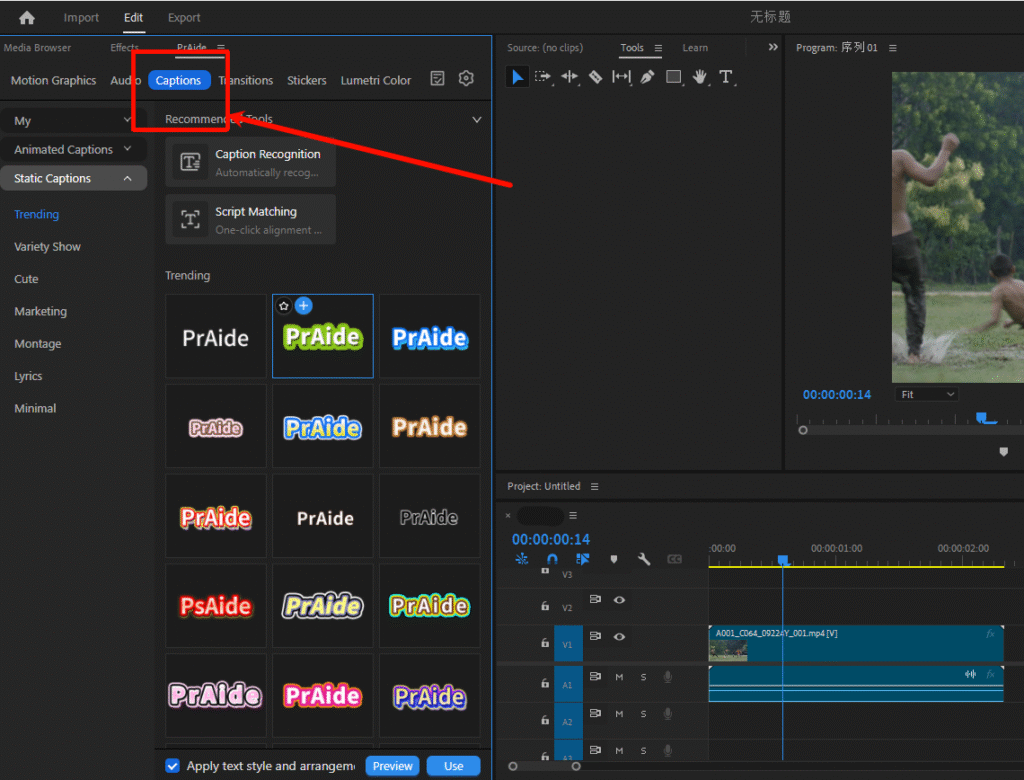
- Seamless Installation: Zero Learning Curve, Full Version Compatibility
Visit the official website https://pr.aide.art/ to download the installer.
Choose the installer corresponding to your Pr version (fully supports Pr 2020-2025).
After installation, the plugin Panel embeds directly into the Pr interface. Its operation logic aligns with Pr’s native workflow, allowing beginners to start immediately.
- Five Core Functions Covering the Entire Editing WorkflowThe focus of this “Pr Plugin Share” is how it specifically solves problems:
- AI Smart Captions:
- Speech Recognition: Automatically recognizes speech in video, accurately generating Caption tracks. Supports Chinese, English, and multi-language translation.
- Script Matching: Paste your script directly; AI automatically aligns the text with the audio Timeline, saying goodbye to manual timing.
- Batch Editing: Uniformly modify font, size, and color for all Captions, multiplying efficiency.
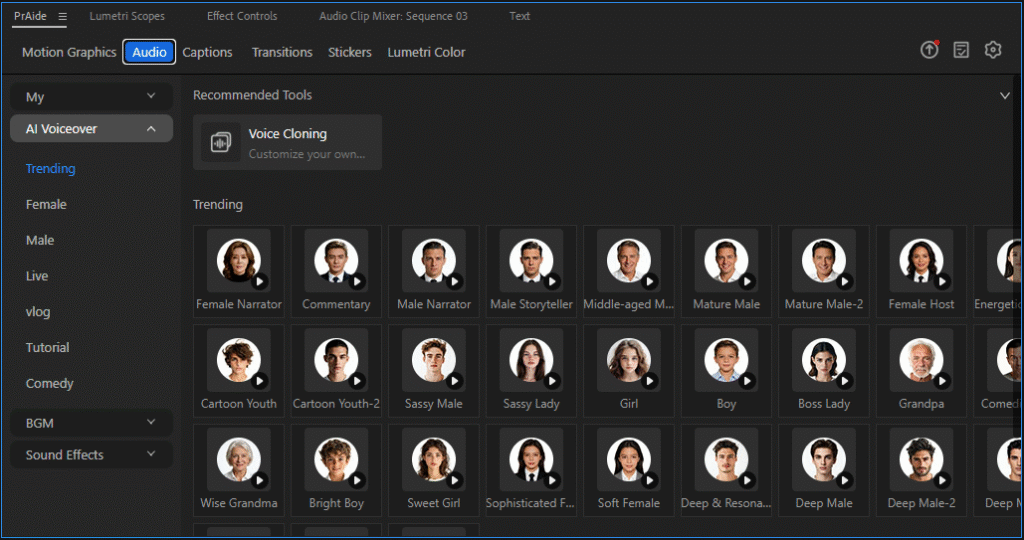
- AI Voiceover & Voice Cloning:
- Hundreds of Voices: Offers over 100 AI Voice Selections, covering different ages, styles, with emotional richness.
- Voice Cloning: Upload a sample of your voice to clone a unique音色 for voiceover narration.
- Text-to-Speech: Modify the voiceover by simply editing the text. AI automatically generates new Audio—no need to re-record.
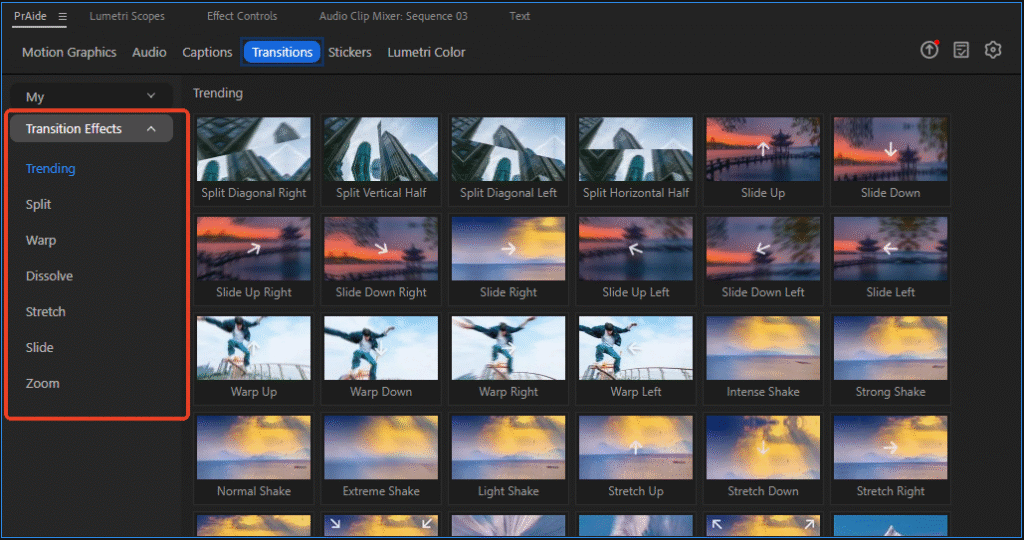
- Flexible & Professional Transitions:
- Transition Effects are added as adjustment layers, allowing you to freely lengthen or shorten them to control transition speed.
- Parameters (like direction, intensity) can be customized in the Pr Effect Controls for personalized effects.
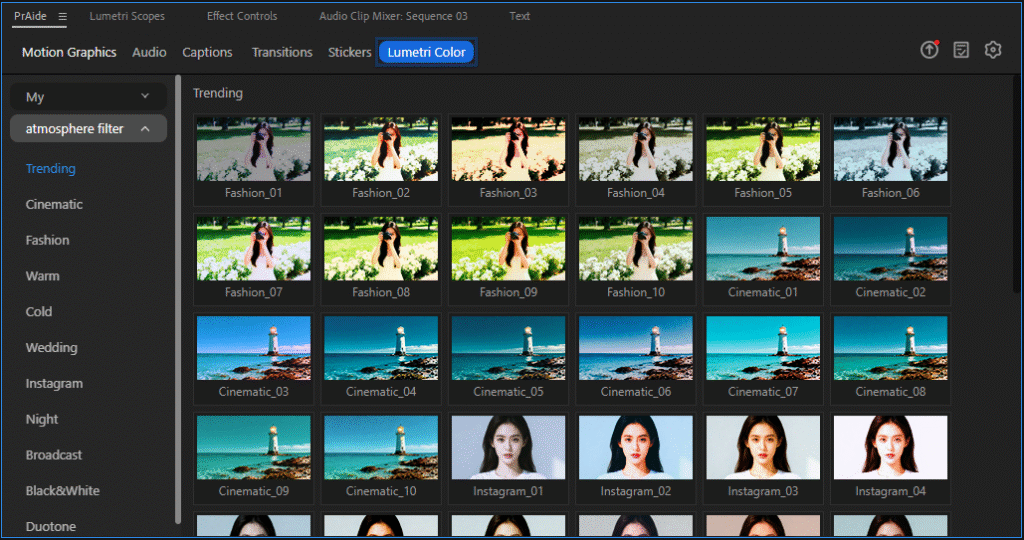
- Customizable Lumetri Color & Color Grading:
- Provides a large number of cinematic LUTs and Lumetri Color presets for one-click application.
- Also supports fine-tuning parameters in the Effect Controls, completing basic color grading without switching software.
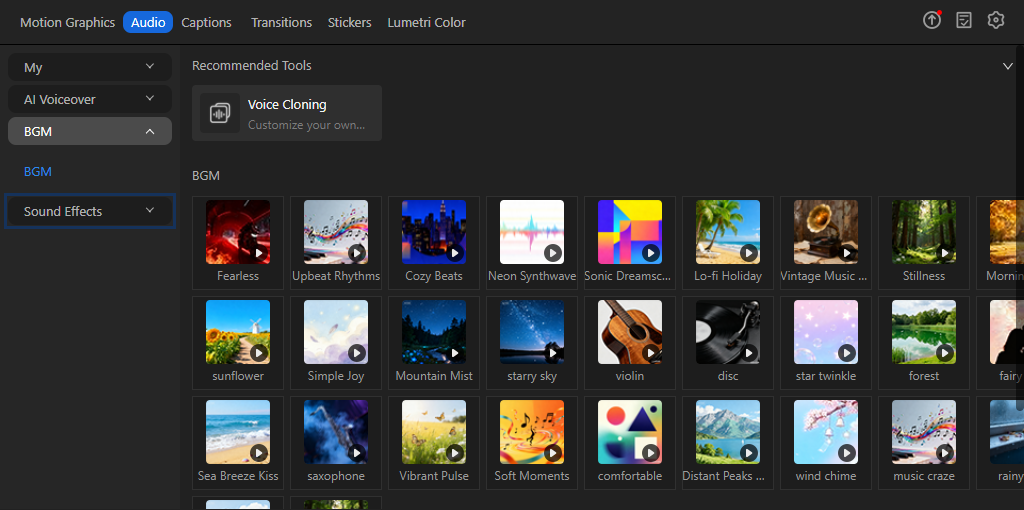
- Rich Sound Effects Library:
- Built-in massive situational Sound Effects (e.g., ambient sounds, UI sounds, funny noises), available on-demand to perfect video details.
III. Four Reasons to Choose PrAide
Summarizing this “Pr Plugin Share,” the reasons for choosing it are substantial:
- Soaring Efficiency: Compresses 80% of the time spent on Media sourcing and basic operations down to minutes.
- Comprehensive Features: A one-stop solution for Media, Captions, voiceover, Transitions, and color grading needs, avoiding the installation of multiple plugins.
- Human-Centric Design: Deeply integrated into the Pr workflow,符合 editing habits with an extremely low learning curve.
- Continuous Evolution: As a modern recommendation for a “Pr Plugin Share,” it continuously updates AI features and the Media library, offering high long-term value.
IV. Conclusion The value of a genuine “Pr Plugin Share” lies in whether it can bring a qualitative leap to your workflow. PrAide is precisely such a tool that lets you say goodbye to overtime and enhances the joy of creation. It liberates editors from mechanical labor, allowing more energy to be invested into narrative, pacing, and creativity — the things that truly matter.
PrAide Download Address:https://pr.aide.art/