Windows
 Apple Silicon


Table of Contents
Editors often face common struggles: browsing dozens of asset sites for Transitions, spending hours on cutouts for Stickers, or dealing with Pr’s limited native presets and repetitive assets. Creative time gets wasted on sourcing. PrAide, a built-in Pr plugin, offers a one-stop solution for asset needs while integrating core features like Captions and voiceovers, allowing you to focus more on creativity.
1.Media Usage Guide: Say Goodbye to Hassle, Use On-Demand
As a powerful Pr plugin, PrAide comes with a massive library of high-quality assets covering Transitions, Stickers, Lumetri Color presets, and more, with continuous updates. During editing, simply double-click to apply or drag assets directly onto the Timeline for instant results. It also supports AI-generated assets: input a prompt to generate 1-4 PNG images with transparent backgrounds, ready to use without additional editing. This can reduce Media sourcing and processing time by up to 80%.
2.Installation Guide: Compatible with All Versions, Zero Learning Curve
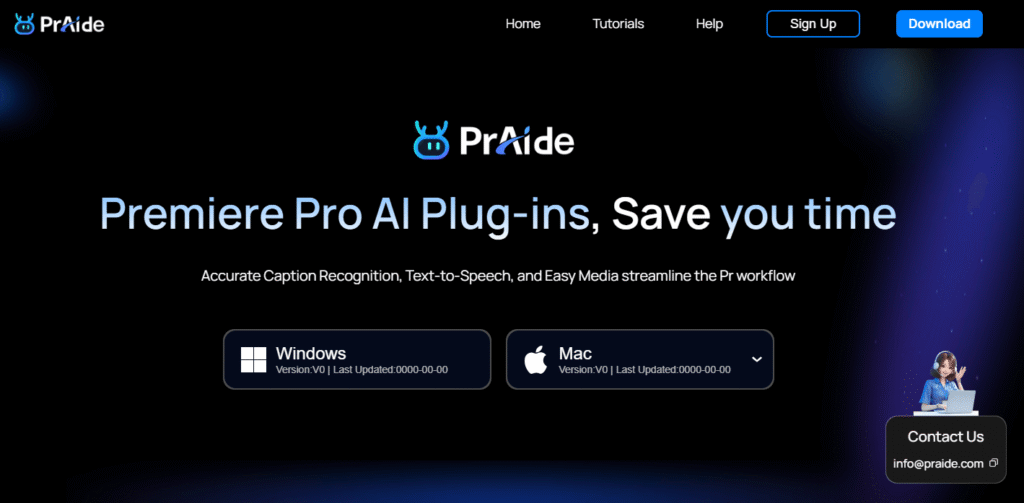
PrAide is fully compatible with Pr versions 2020 through 2025. Visit the official website https://pr.aide.art/ to download the corresponding version, follow the simple installation steps, and no additional configuration is required. The plugin integrates seamlessly into the Pr interface, matching Pr’s native workflow, making it easy for beginners to get started quickly.
3.5 Core Features Covering the Entire Editing Workflow
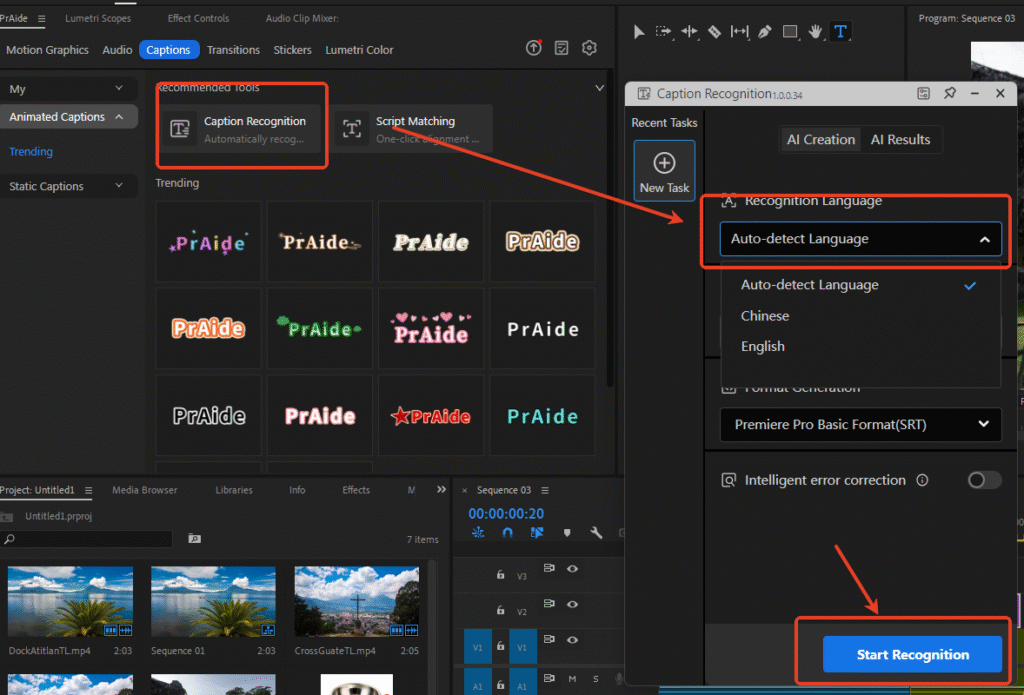
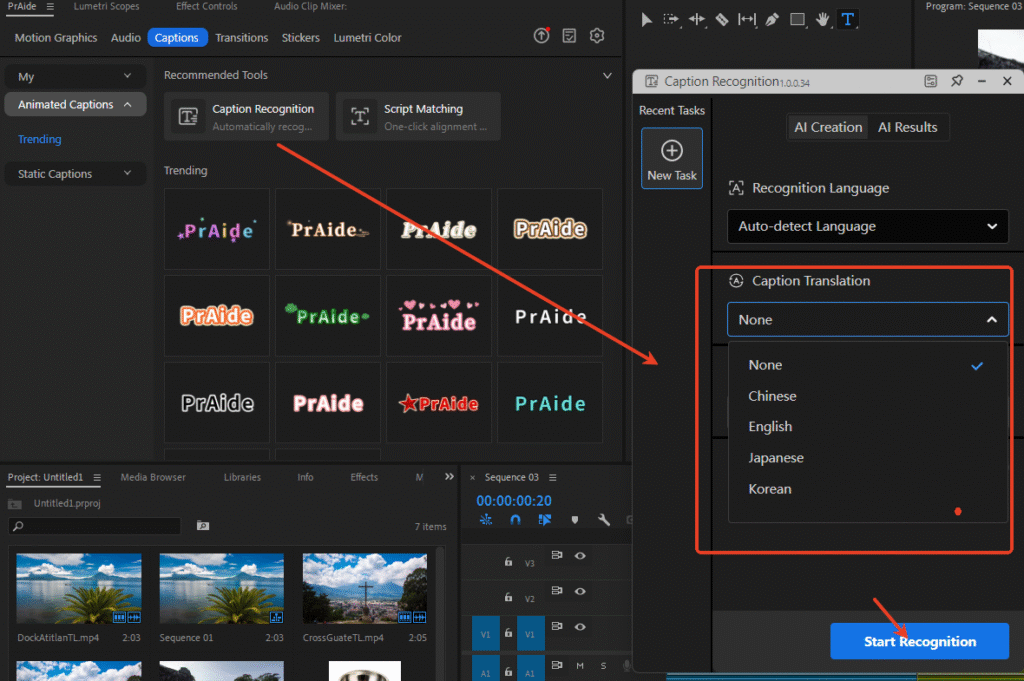
- AI Captions: Automatically generate Captions from audio with high accuracy (supports Chinese and English, includes Smart Correction), or import a script for automatic alignment. It supports translation between Chinese, English, Japanese, and Korean, and allows batch style modification for Captions.Caption Recognition allows you to select the language for recognition (the system can also auto-detect). Currently supports Chinese and English.Caption Recognition includes a translation feature, supporting Chinese, English, Japanese, and Korean.
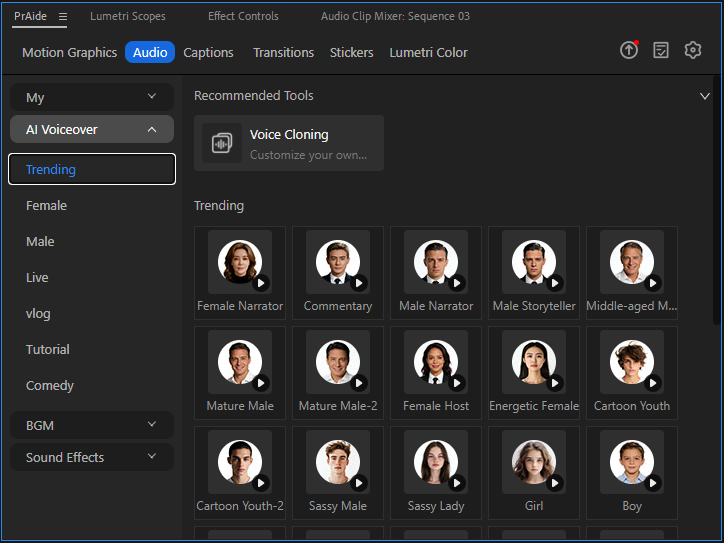
- AI Voiceover: Clone a voice by uploading a short audio sample. Choose from over 100 Voice Selections. Modify the script text directly, and the voice automatically adjusts without re-recording.
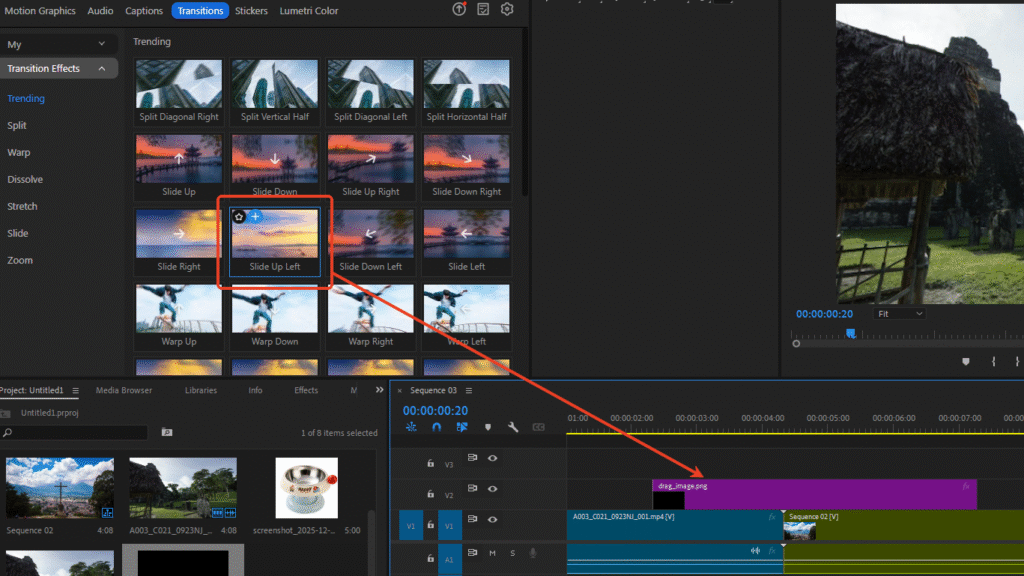
- Flexible Transitions: Add Transitions above the video track. Parameters can be adjusted anytime, and the same Transition can be applied uniformly across multiple tracks, saving the hassle of adding them one by one.
- Customizable Lumetri Color: Adjust parameters like brightness and contrast directly within Pr’s Effect Controls Panel, eliminating the need to switch software.
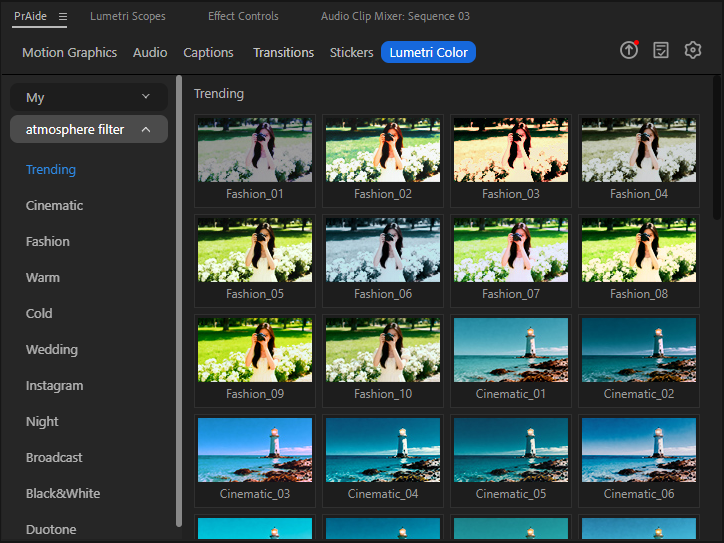
- Rich Sound Effects: Includes various background music and practical Sound Effects (e.g., game victory sounds, funny effects). Add them to the Timeline with one click, no separate downloads needed.
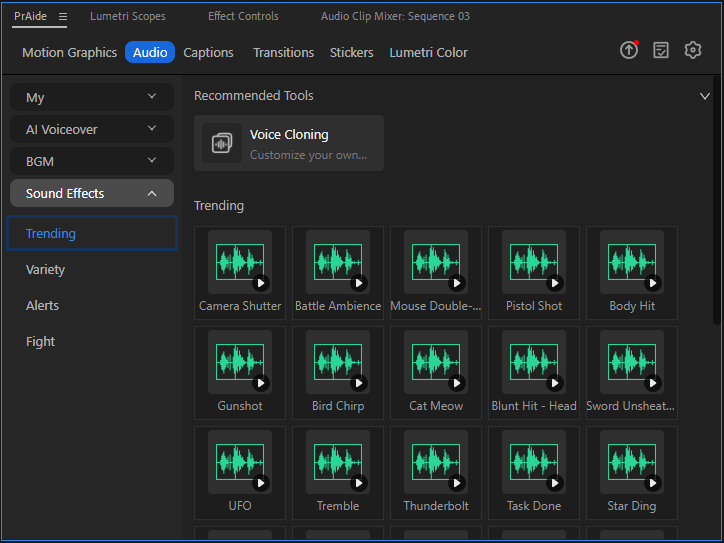
4.4 Reasons to Choose PrAide
- High Efficiency: Cuts Media sourcing time by up to 80%, with AI handling tedious tasks.
- Comprehensive Features: One-stop solution for assets, Captions, and more, eliminating the need for multiple plugins.
- User-Friendly: Designed to match Pr’s workflow, with detailed guides suitable for both beginners and pros.
- Free During Internal Testing: Practical AI features are continuously updated. Start benefiting early!
Tired of Media searches and editing hassles? Follow the installation guide above, visit the official website https://pr.aide.art/ to download PrAide, and start a new, easier editing experience!