Windows
 Apple Silicon


PrAide currently supports Premiere Pro 2020 and later. If your Premiere Pro version is earlier than 2020, please upgrade it.
Currently, PrAide only supports Premiere Pro 2020 version 14.4 and later.
Users with versions lower than 14.4 may encounter a white screen. Upgrading Premiere Pro to version 14.4 or later will resolve the issue.
How to check your Premiere Pro version:
In the top menu bar of the application:
(1) Windows: Select Help > About Premiere Pro.
(2) MacOS: Select the Adobe Premiere Pro menu next to the Apple icon > About Adobe Premiere Pro.
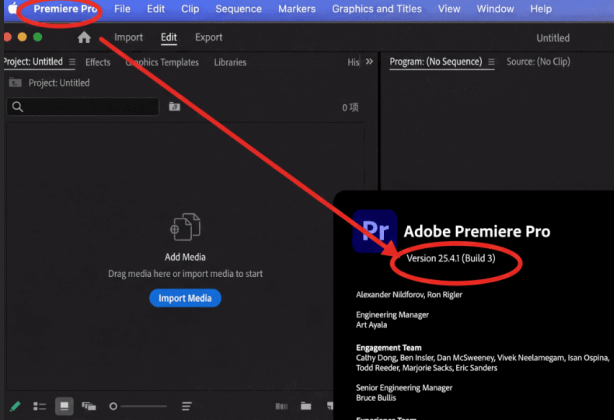
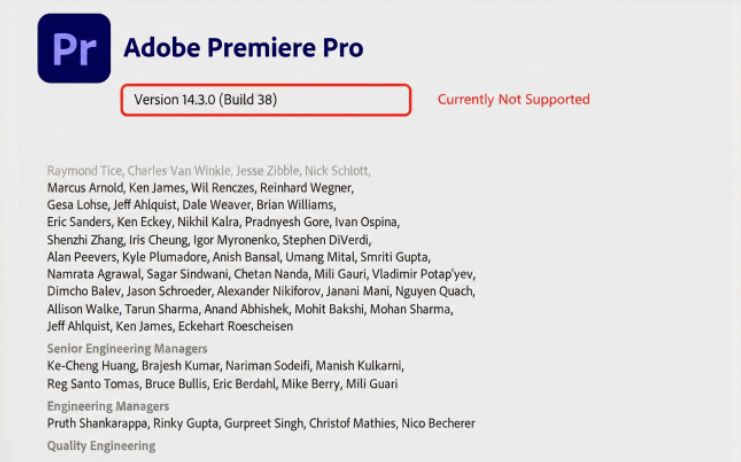
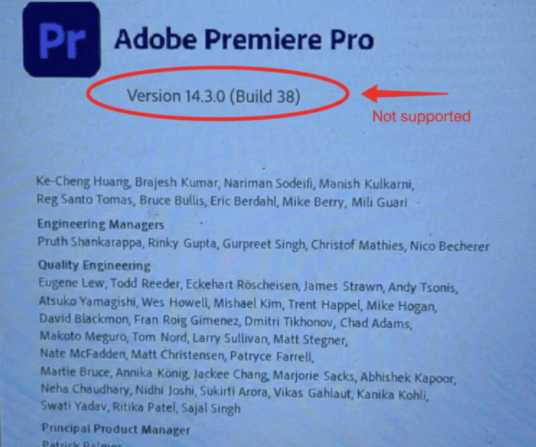
We will continue to update PrAide and strive to support versions below 14.4 as soon as possible. If you need to use it urgently, we recommend upgrading to version 14.4 or later.
How to Obtain an Invitation Code
· Get it via our discord community.
· Email [email protected] to request one.
Download for Windows / Mac: https://pr.aide.art/
Help: https://pr.aide.art/help/