Windows
 Apple Silicon


Table of Contents
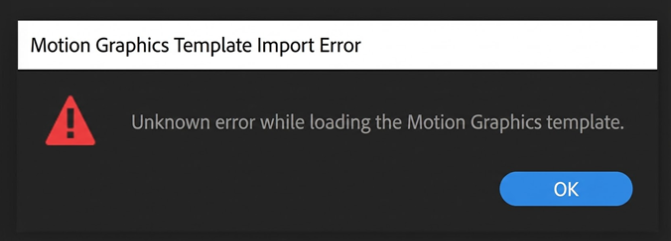
When using PrAide, if a popup appears indicating a Motion Graphics Template import error:
Error popup 1:
Error popup 2:
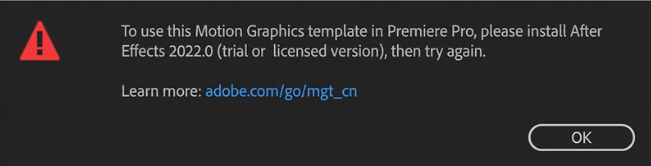
Please adjust your system settings according to this tutorial. After completing the steps, restart Premiere Pro or restart your computer to use it normally.
1. Windows 10 solution
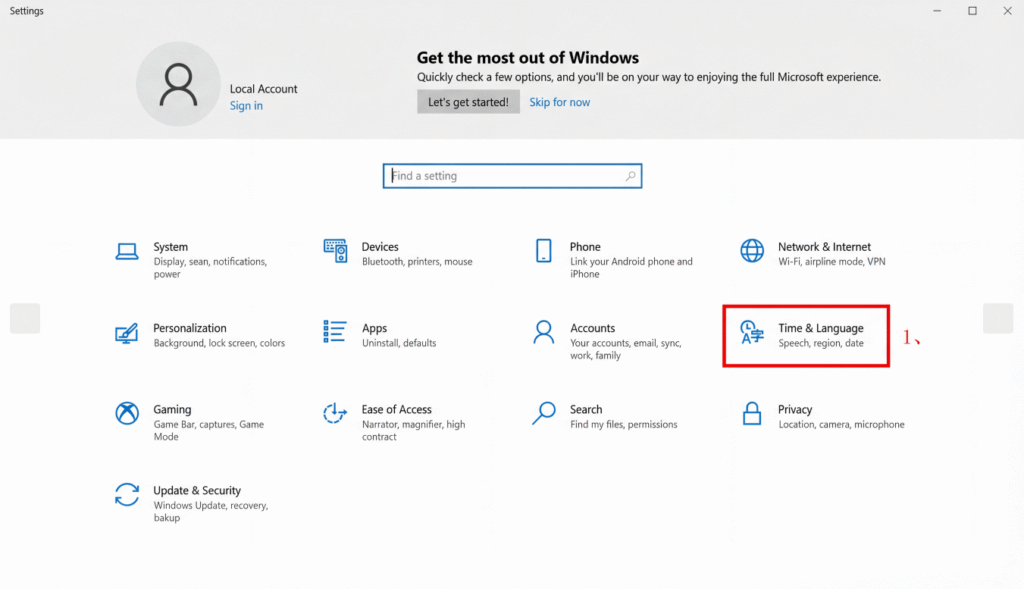
(1)Press the Win key to open the Start menu and click Settings; in the opened panel, click Time & Language.
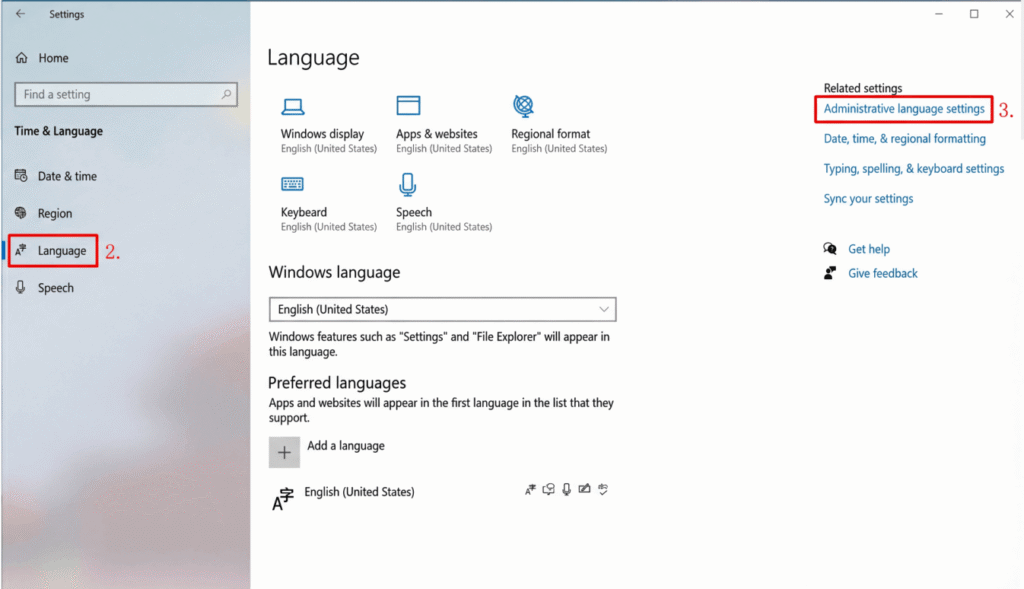
(2)Click Language.
(3)Administrative language settings.
(4)Click Change system locale.
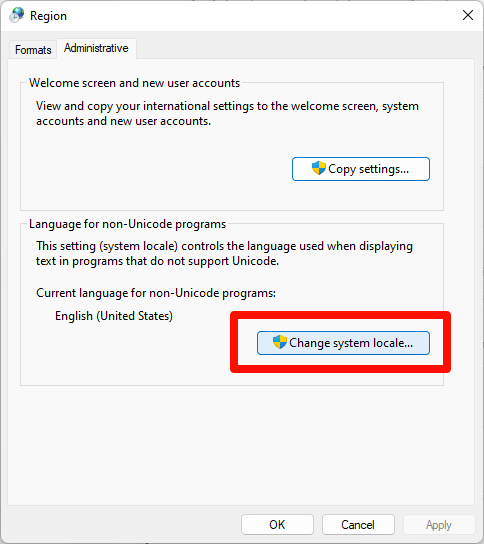
(5) In the Region Settings dialog, uncheck “Beta: Use UnicodeUTF-8 for worldwide language support”, then click OK.
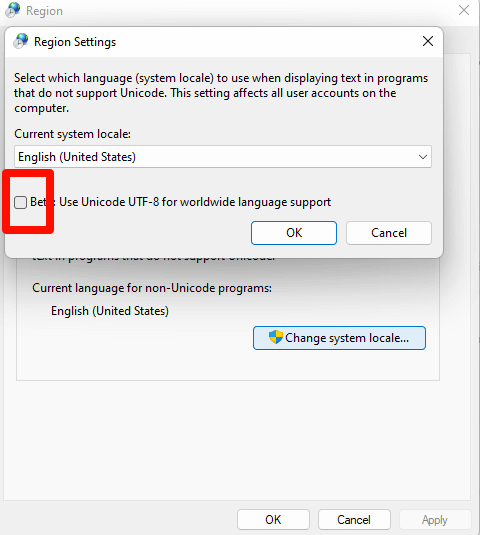
(6) Restart Premiere Pro or restart your computer.
2. Windows 11 solution
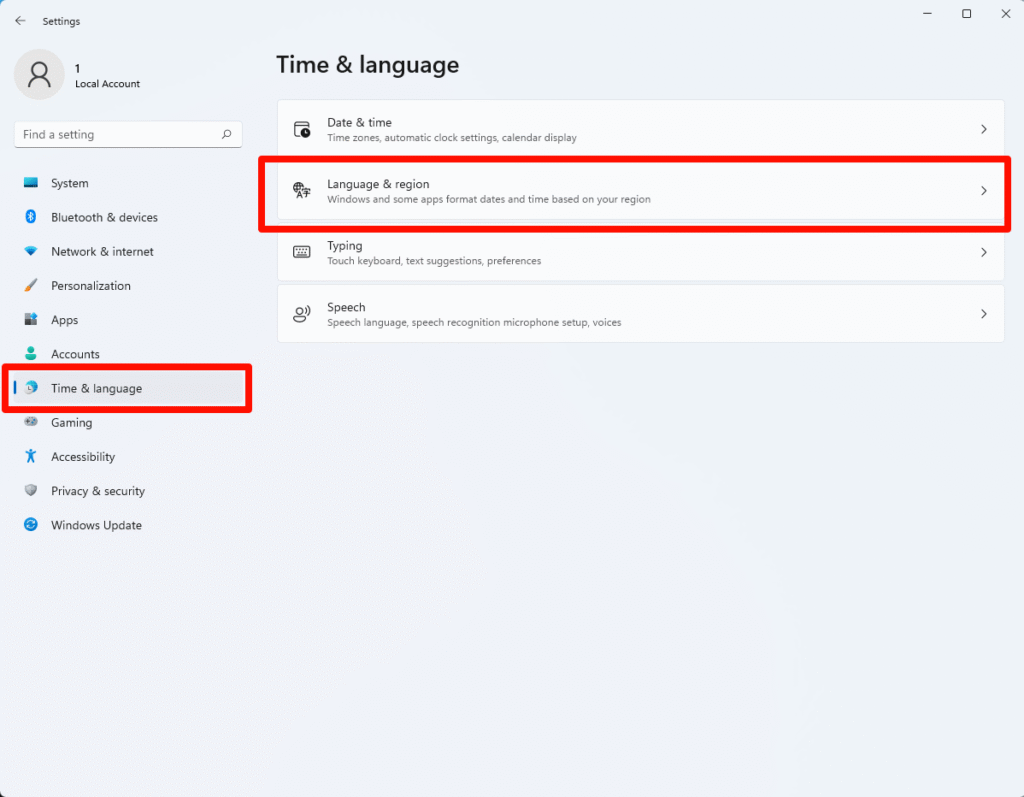
(1)Open Settings and click Time & Language.
(2)Select Language & Region.
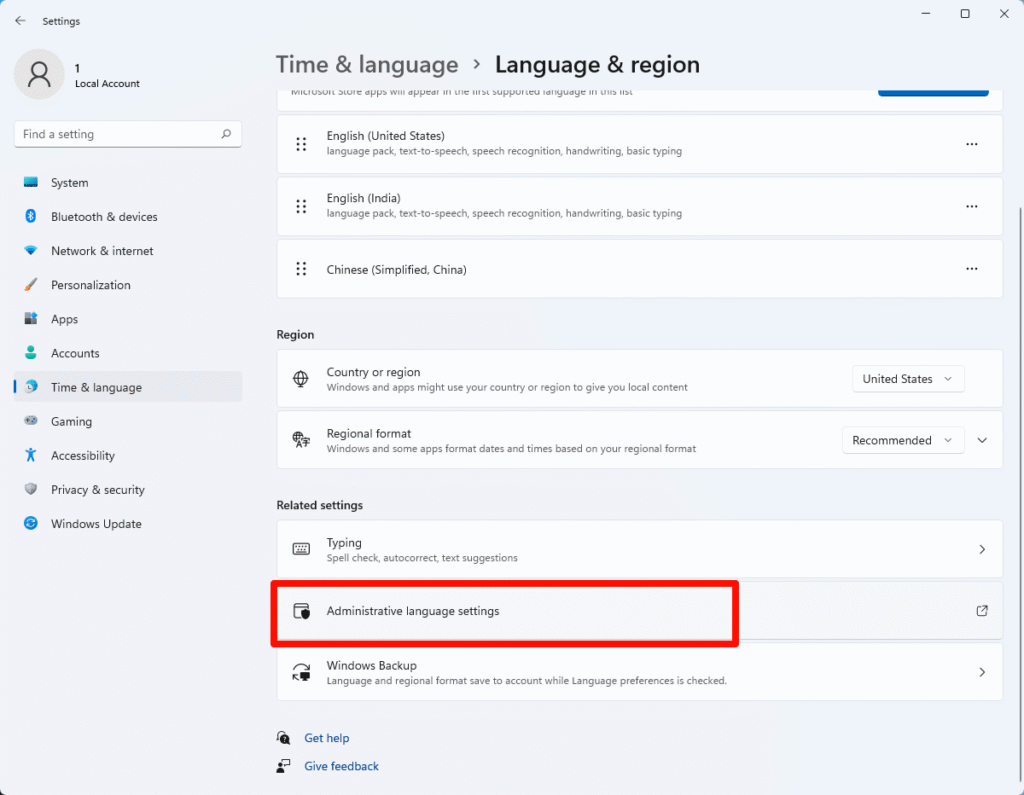
(3)Select Administrative language settings.
(4)In the opened Region window, select Change system locale.
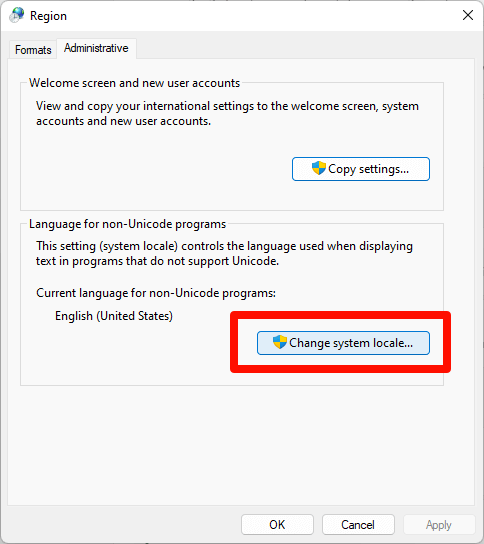
(5)In the Region Settings dialog, uncheck “Beta: Use UnicodeUTF-8 for worldwide language support”, then click OK.
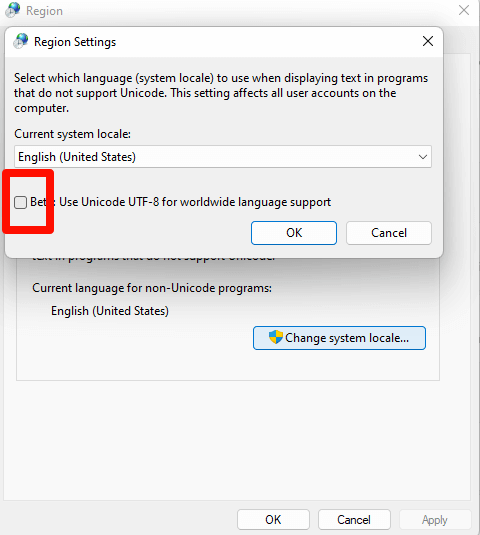
(6)Restart Premiere Pro or restart your computer.
How to Obtain an Invitation Code
· Get it via our discord community.
· Email [email protected] to request one.
Download for Windows / Mac: https://pr.aide.art/
Help: https://pr.aide.art/help/